Risk matrices
The Salus Suite comes with the PEAR model as the default risk matrix, but you can customise it or add new matrices to suit your internal standards.
Create a risk matrix
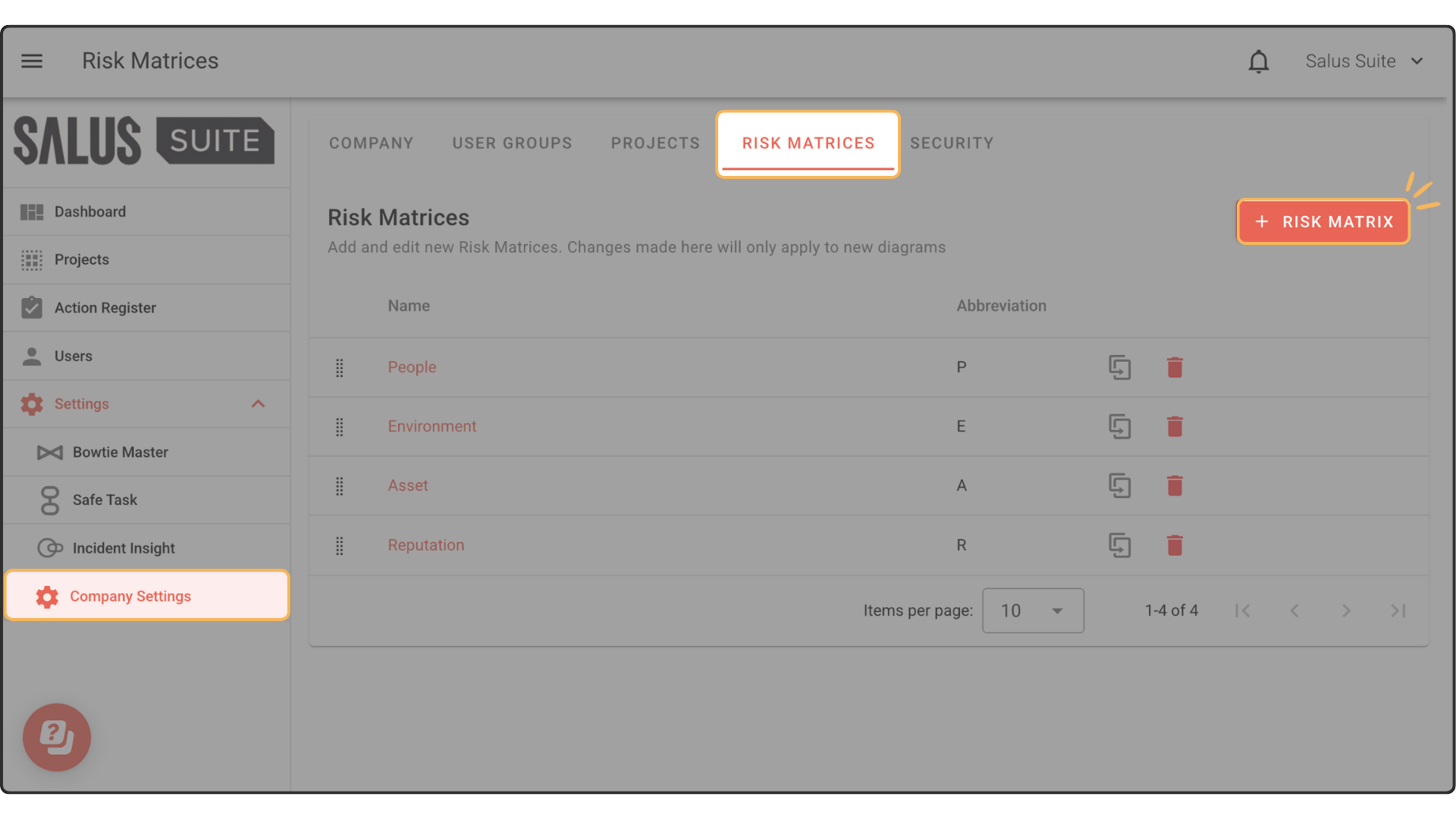
Step 1: Go to Settings > Company Settings > Risk Matrices.
Step 2: Click + RISK MATRIX.
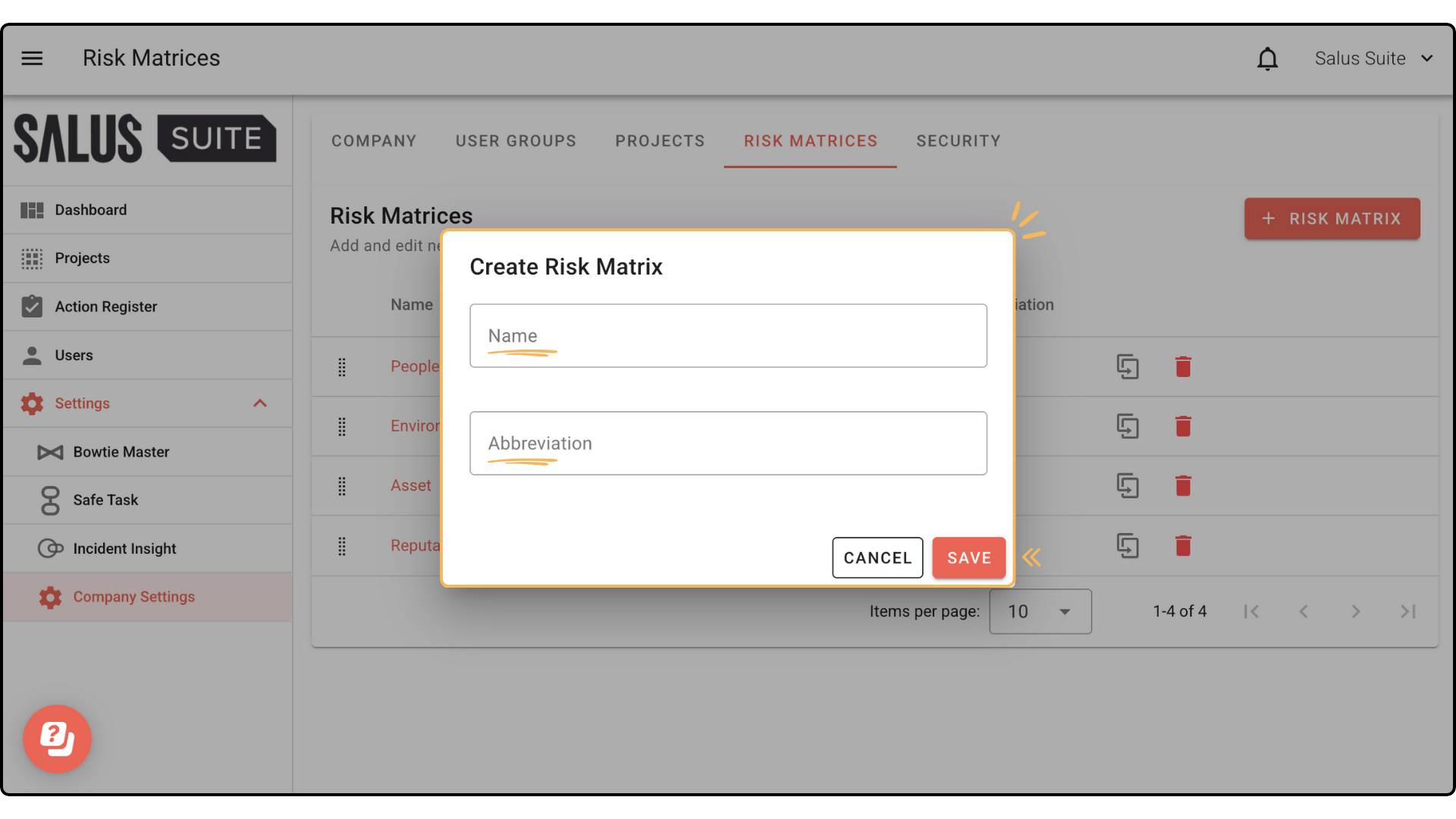
Step 3: Enter a Name and Abbreviation, then click SAVE.
Edit a risk matrix
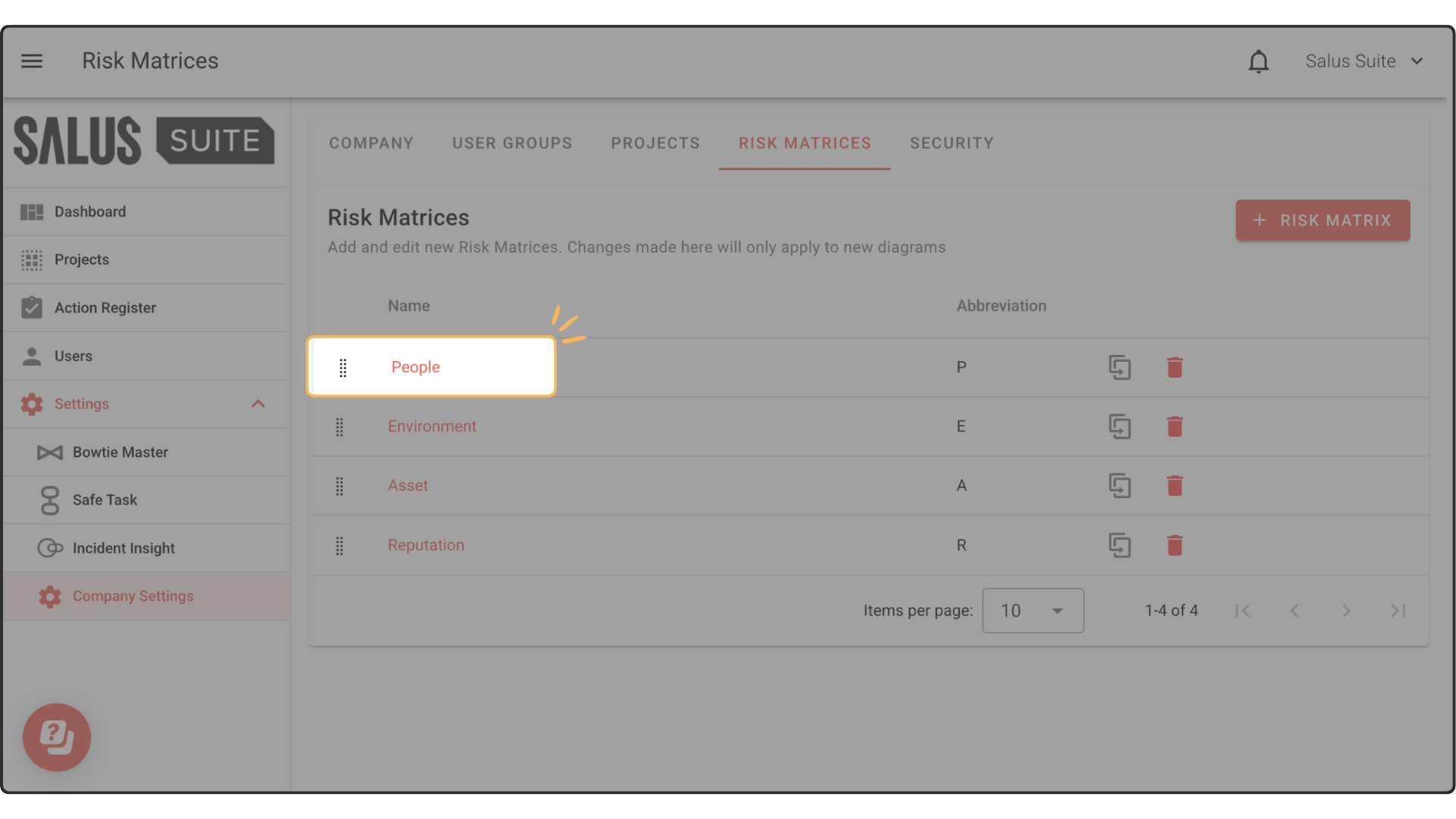
Step 1: Select a risk matrix.
Step 2: Change the Name, Abbreviation, X-Axis Label and Y-Axis Label, then click SAVE.
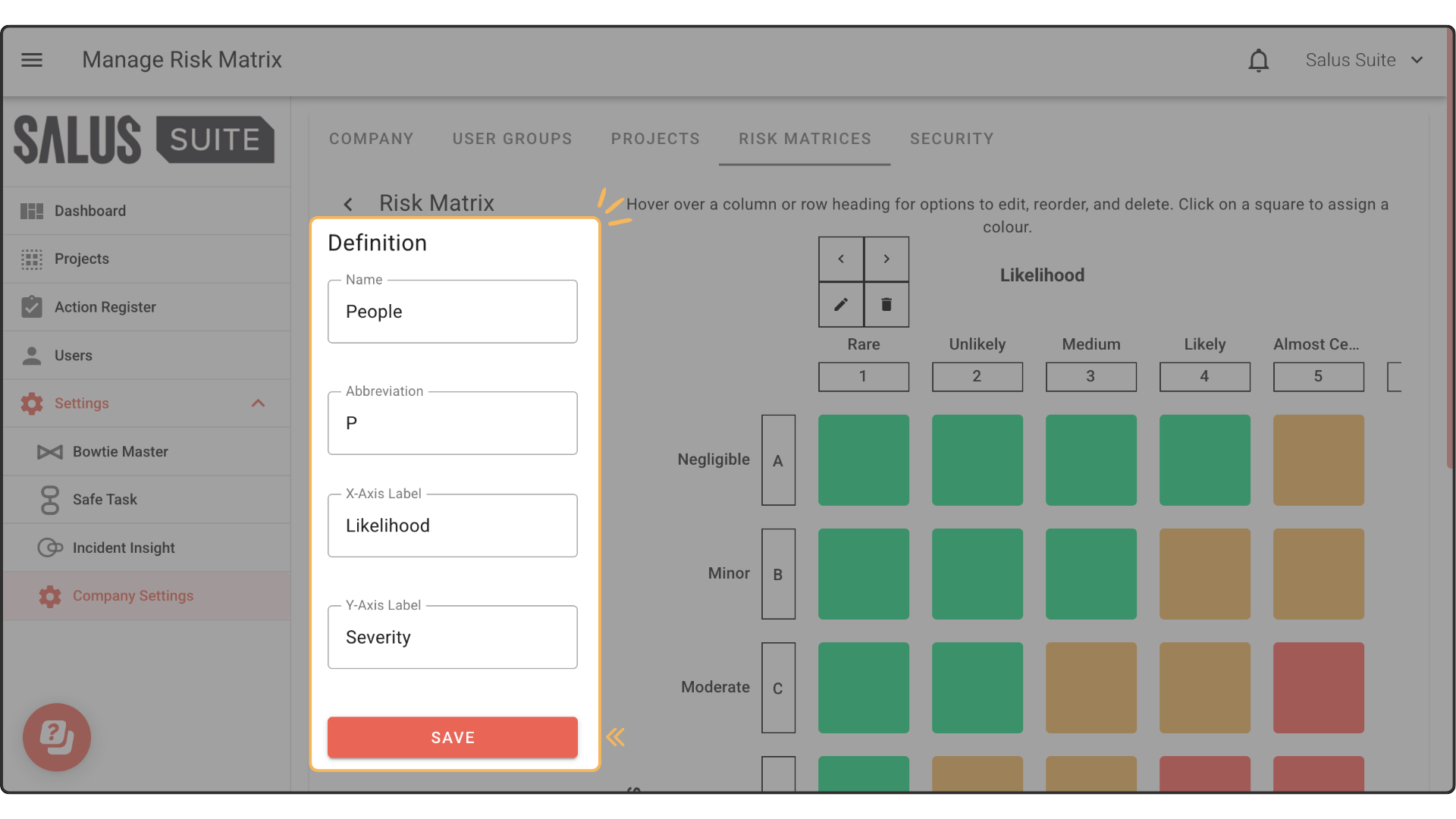
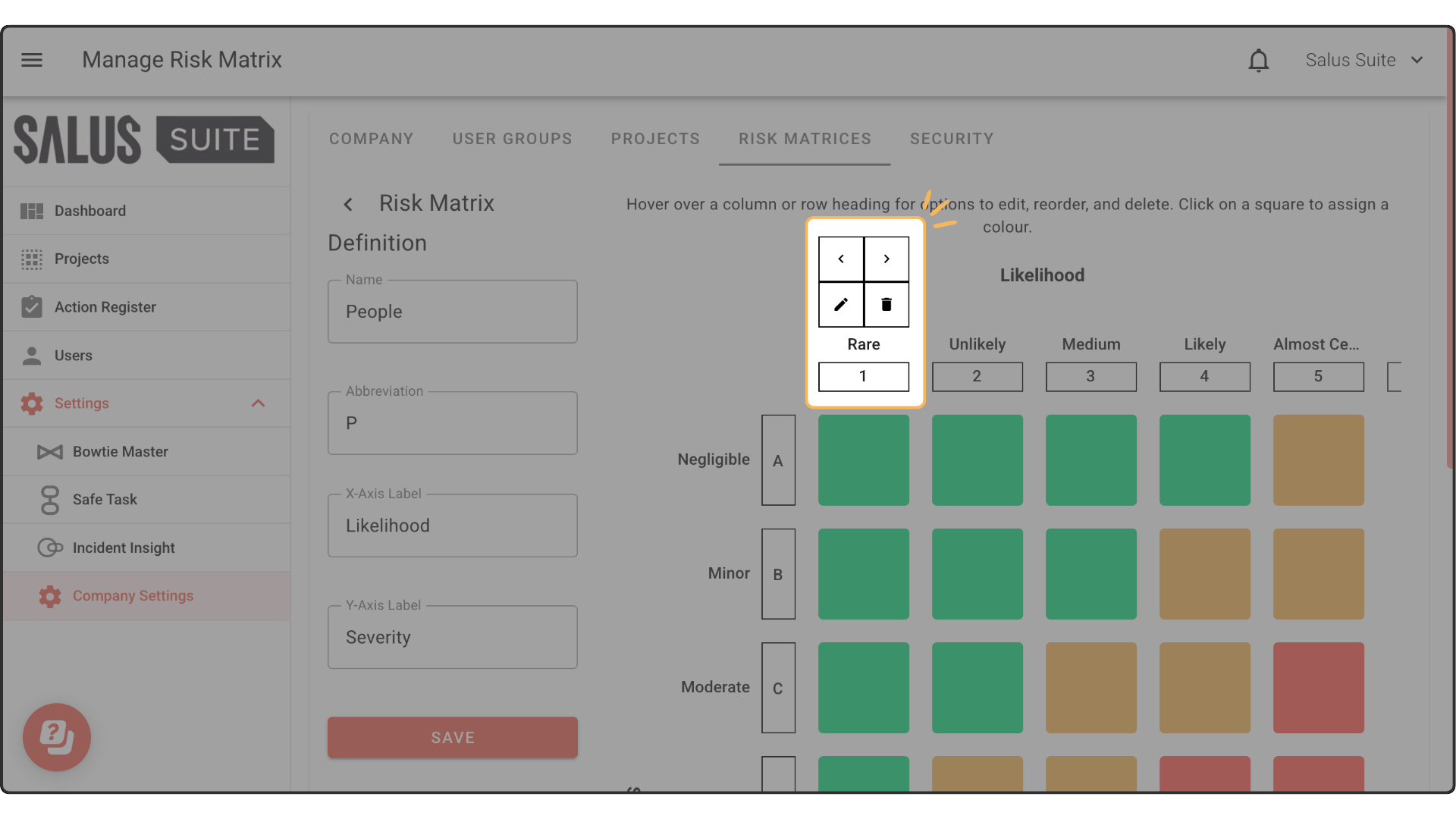
Step 3: Hover over a column or row heading to show options to edit, delete and rearrange.
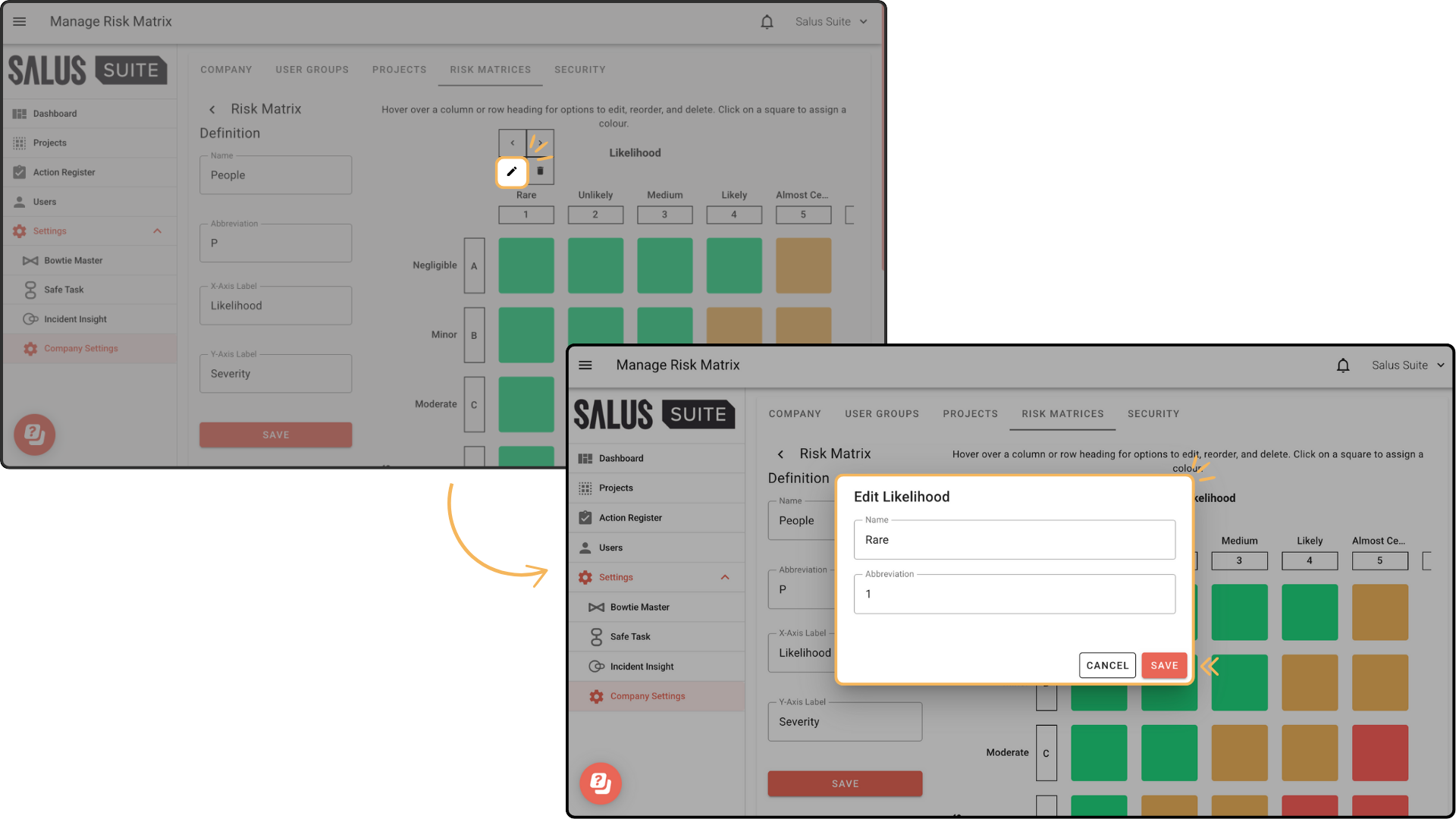
Step 4: To edit a likelihood, click the edit icon, change the Name and Abbreviation in the pop-up, then click SAVE.
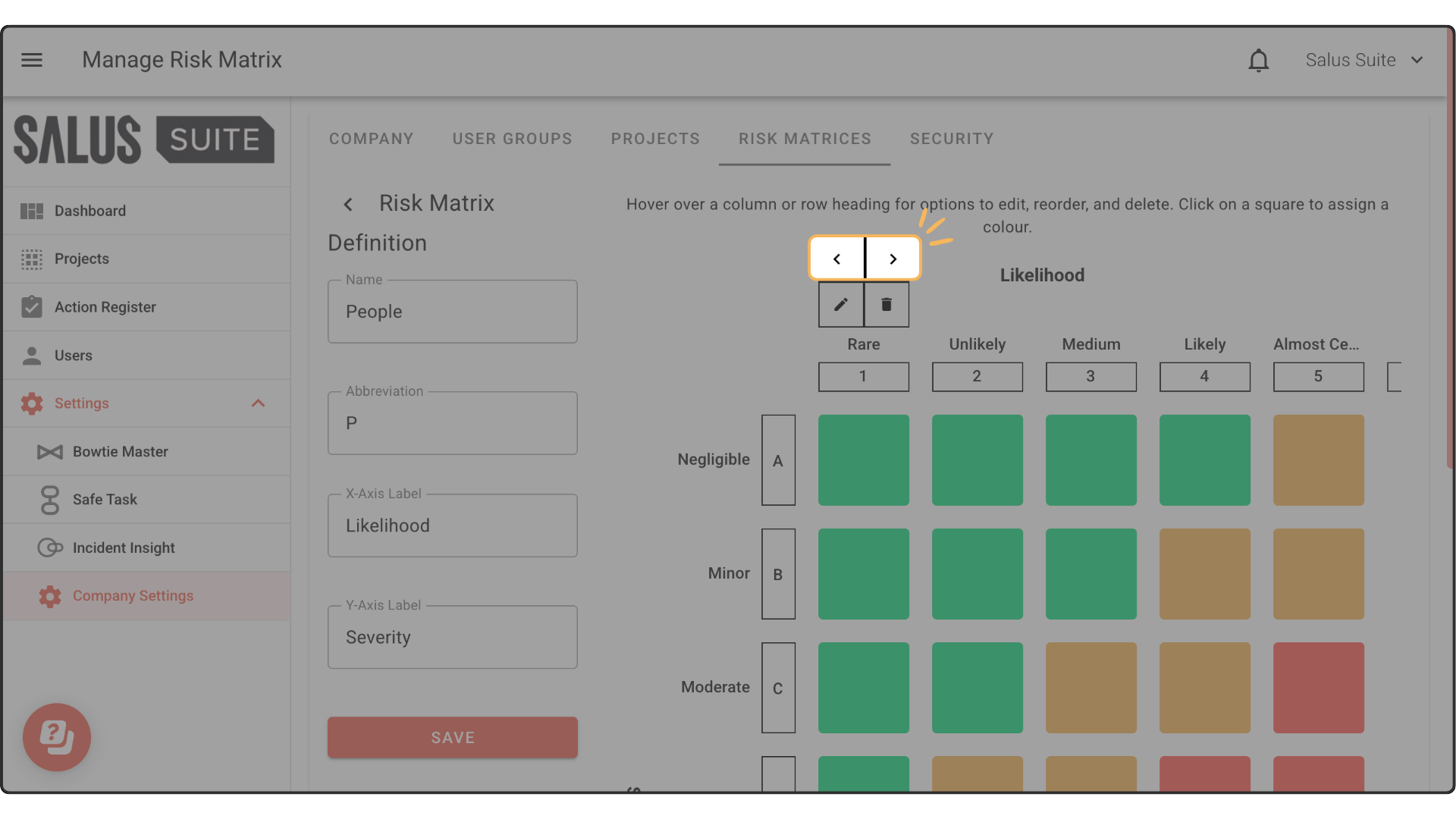
Step 5: To reorder a row or column, click the directional arrows.
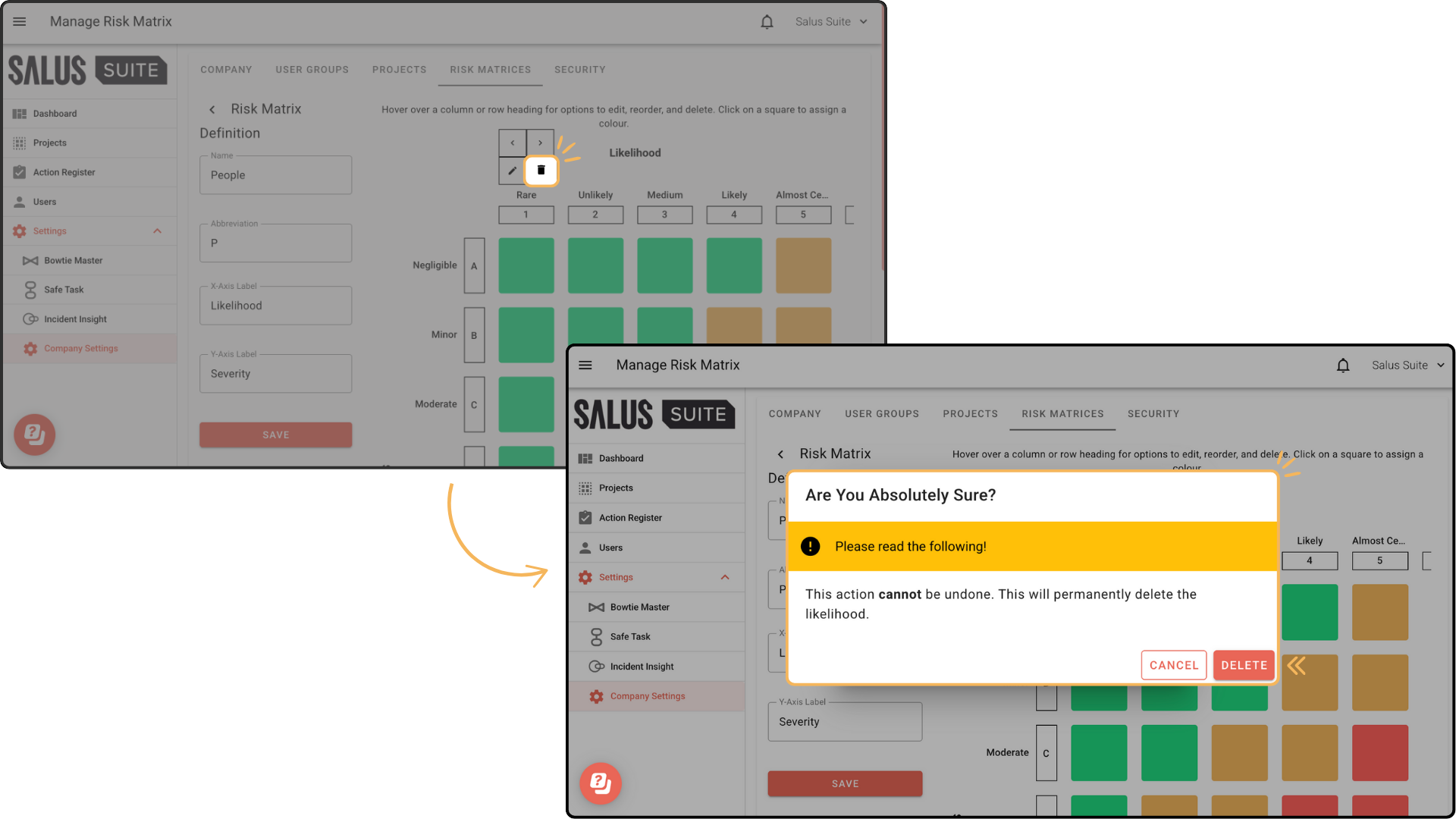
Step 6: To delete a row or column, click the delete icon, then click DELETE in the warning message.