Sync barriers
When the same barriers prevent or mitigate different consequences, syncing saves you from adding metadata to each one. Instead, sync all barriers with the same name - across a single diagram or an entire project.
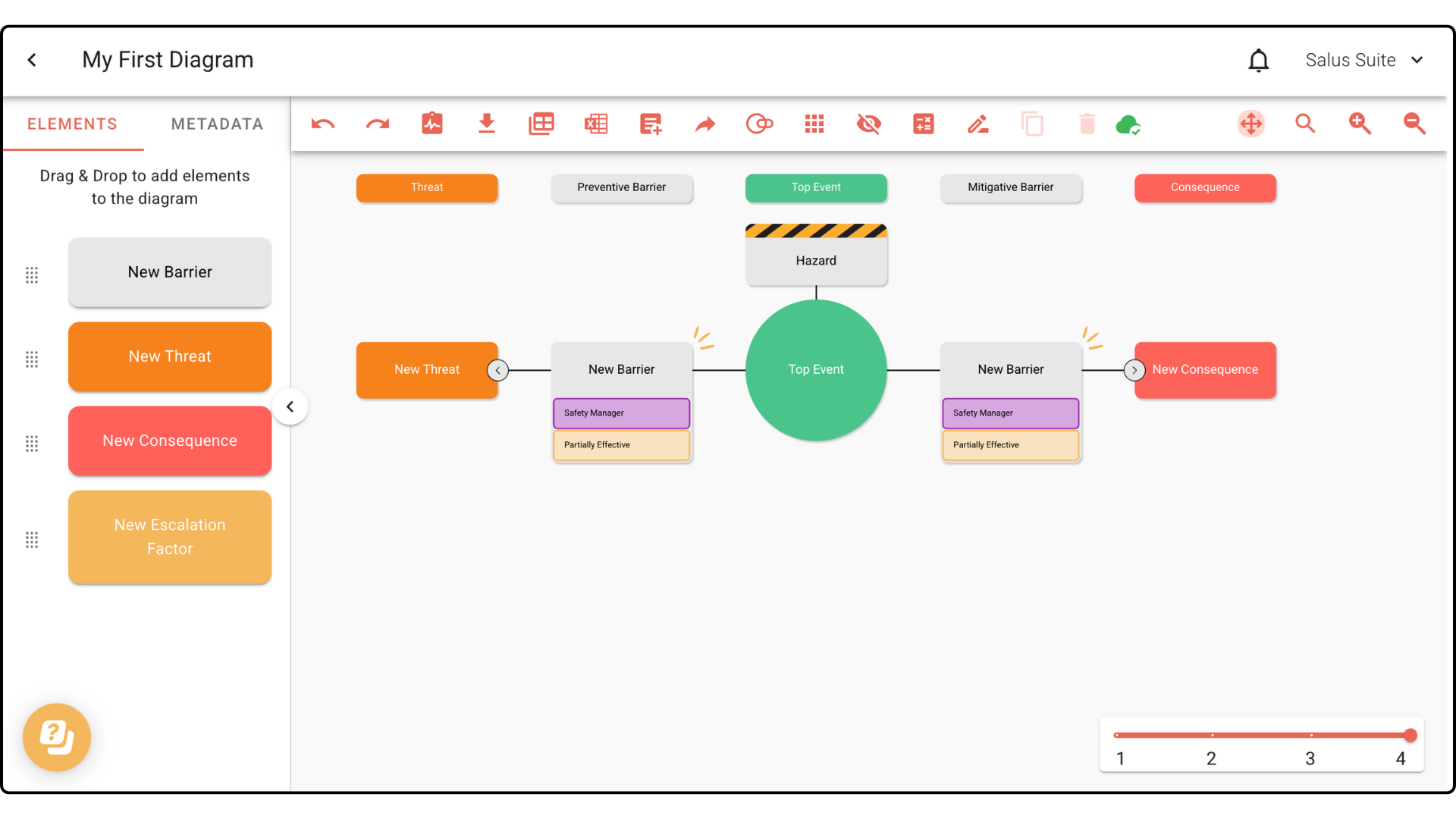
In this example, we have two barriers with the same name to sync.
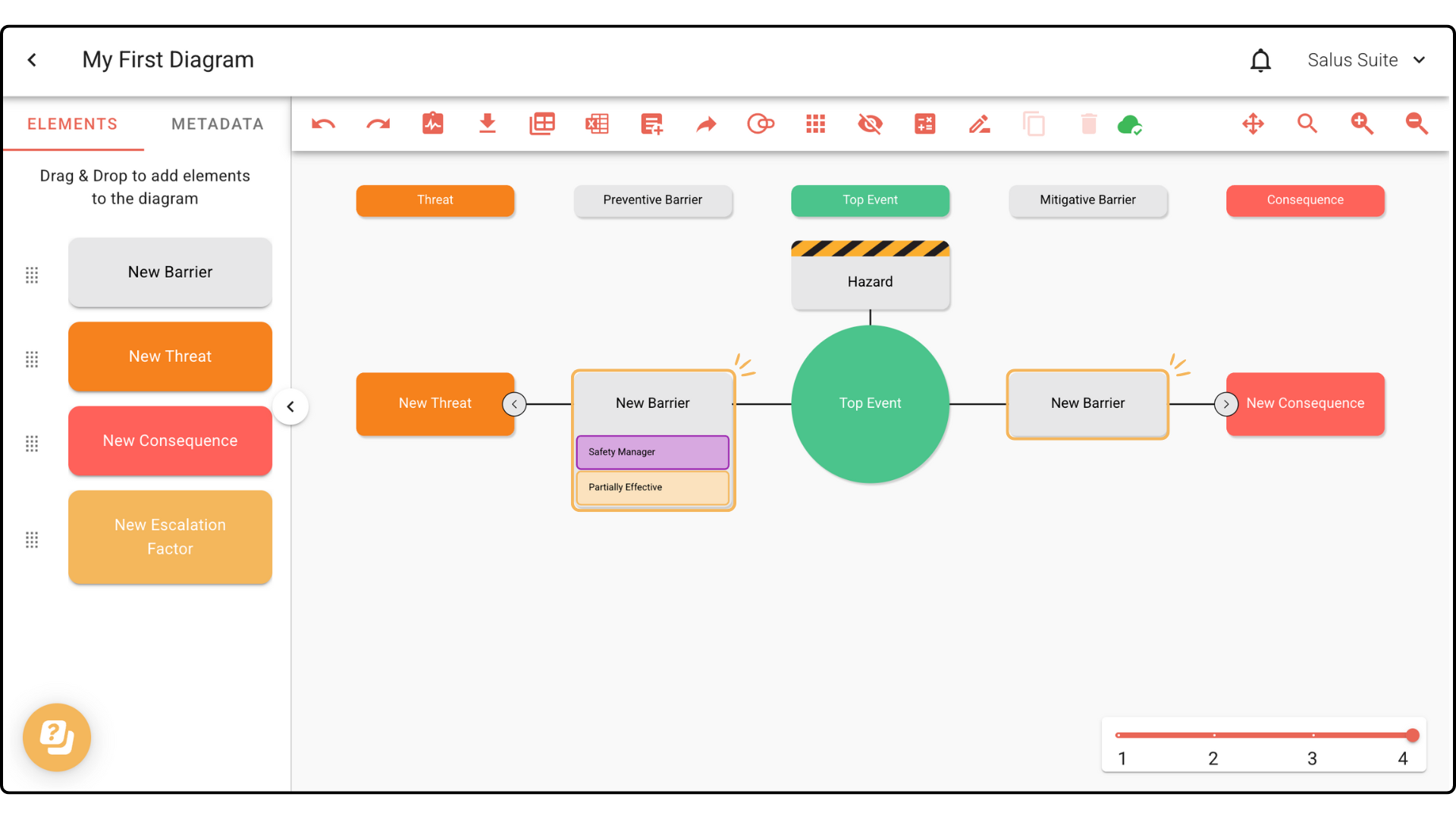
Step 1: In your diagram, double-click a barrier you want to sync.
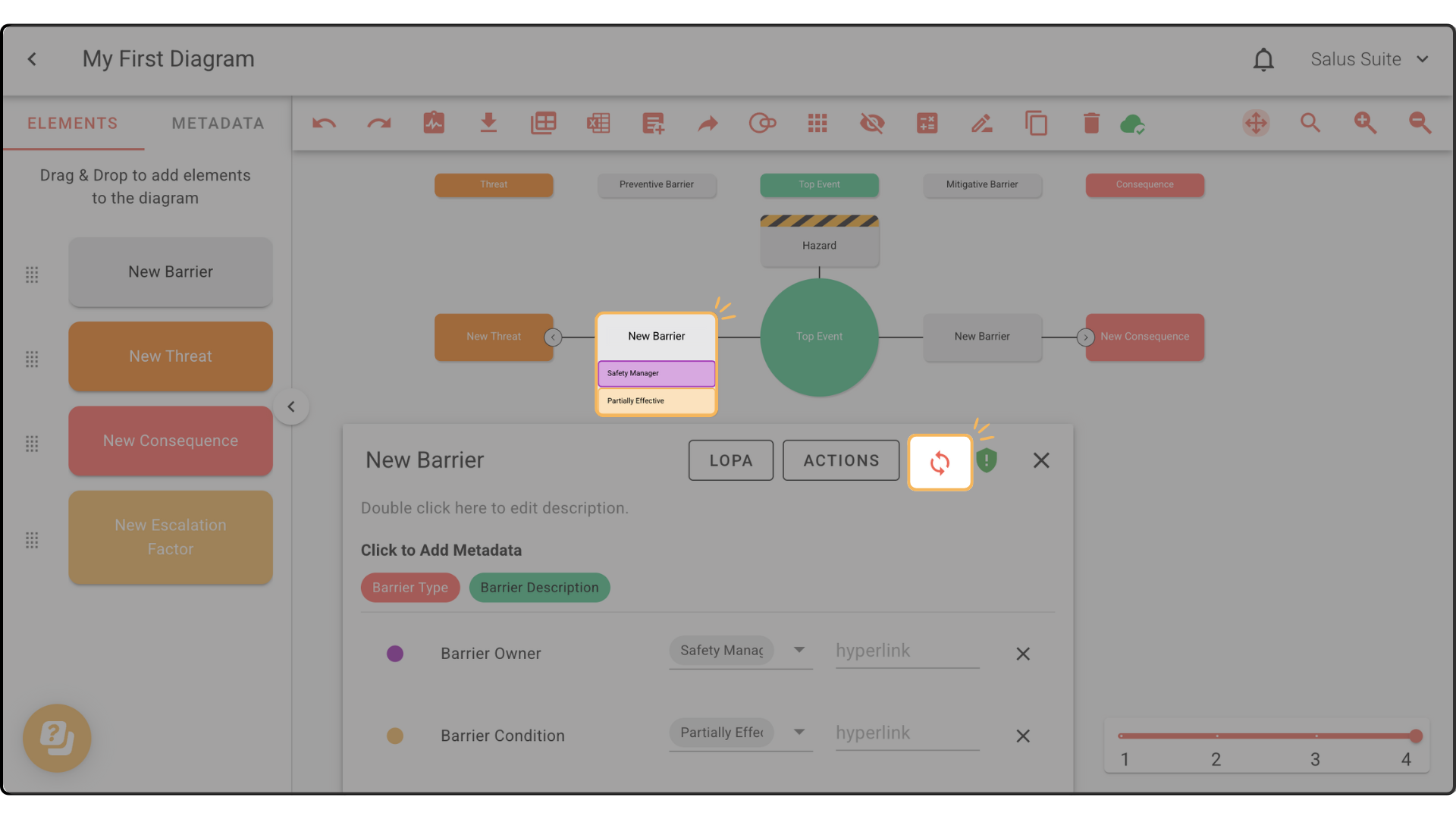
Step 2: In the Element Description Box, click SYNC. Add any other metadata before syncing if you wish.
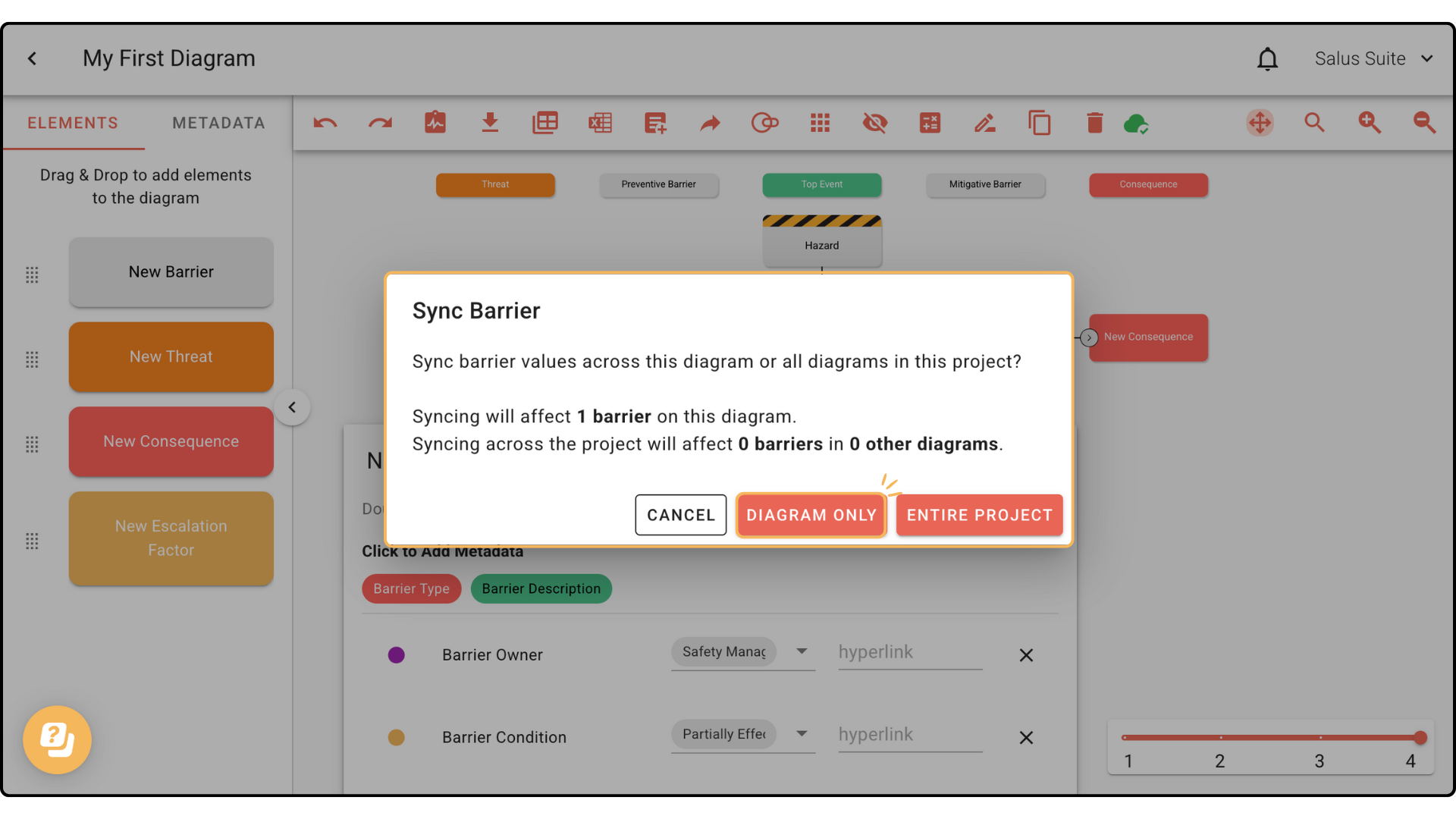
Step 3: In the pop-up, choose to sync this barrier in this diagram only or across the entire project.
Barriers with the same name are now fully synced.